10 Things AI Can Do for Your WordPress Website in 2026 — Even If You Can’t Code
AI for WordPress is changing the way people create, manage, and improve websites in 2026.
Artificial intelligence has changed the way people create, manage, and improve websites.
For WordPress users, AI is no longer limited to generating a paragraph of text or answering a question in a chatbot. In 2026, AI is becoming increasingly connected to the WordPress ecosystem itself. WordPress 7.0 introduced an AI Client in WordPress core, while the official WordPress AI plugin provides features such as title generation, summaries, alt text, image generation, translation, and SEO-friendly slug suggestions.
But here’s the interesting part:
You don’t need to be a professional programmer to benefit from AI.
Whether you are a blogger, freelancer, small-business owner, online seller, or someone building your first WordPress website, AI can help you accomplish tasks that previously required considerably more time and technical knowledge. 10 Ways AI for WordPress Can Help Your Website
In this guide, we’ll look at 10 practical things AI can do for your WordPress website in 2026, including several tasks you can start using immediately.
1. Create a WordPress Website Faster
One of the biggest changes brought by AI is the ability to speed up the initial website-building process.
Traditionally, creating a WordPress website involved:
- Choosing a theme
- Creating pages
- Planning navigation
- Writing page content
- Selecting images
- Designing sections
- Creating calls to action
- Optimizing the site for mobile devices
AI can help you with many of these tasks.
AI can speed up many parts of WordPress website development, from content preparation to SEO and website optimization.
What Can AI Help You Create?
For example, you can ask AI to create a basic structure for:
- A freelancer portfolio
- A business website
- A blog
- An online store
- A service website
- A membership website
- A personal brand website
You could give AI a prompt such as:
“Create a five-page WordPress website structure for a freelance digital marketer offering SEO, social media marketing and WordPress development.”
The AI can suggest pages such as Home, About, Services, Portfolio, Blog, and Contact, along with ideas for the sections on each page.
Some WordPress platforms also now offer AI-assisted website creation and editing directly within their workflows.
The Important Point
AI should be treated as an assistant, not a replacement for your judgment.
You still need to decide what your business offers, who your customers are, what your website should look like, and what information is accurate.
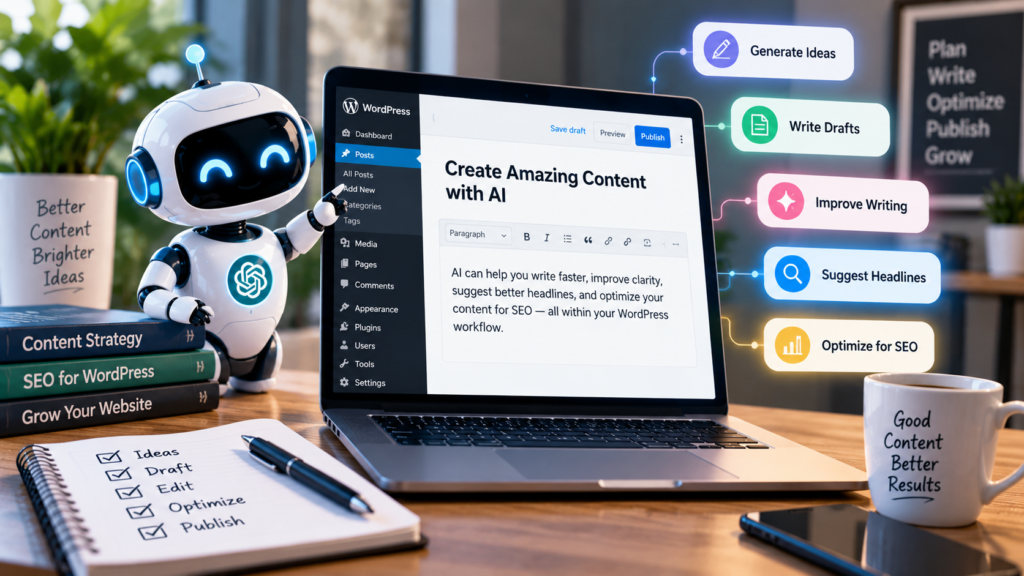
2. Write Blog Posts and Website Content
Content creation is probably one of the easiest ways to use AI with WordPress.
Instead of starting with a completely blank page, you can use AI to create a first draft.
For example, AI can help you develop:
- Blog post outlines
- Introductions
- Headings
- Explanations
- FAQs
- Conclusions
- Product descriptions
- Service descriptions
- Social media captions
AI Can Help Overcome Writer’s Block
Suppose you want to write an article about WordPress security.
Instead of staring at a blank editor, ask AI:
“Give me 10 useful sections for a beginner-friendly article about WordPress security.”
You now have a starting point.
You can then research the subject, add your own experience, correct inaccurate information, and turn the outline into a useful article.
Don’t Simply Publish Raw AI Output
This is extremely important.
AI-generated content can contain:
- Incorrect information
- Outdated information
- Repetitive explanations
- Generic examples
- Unsupported claims
The best workflow is:
AI draft → human review → research → editing → personal experience → final publication
That produces much more useful content than simply asking AI to write an article and publishing the result unchanged.
For more practical WordPress and digital marketing guides, visit the HKMANIK blog.
3.10 Ways AI for WordPress Can Help Your Website
Search engine optimization involves many small tasks that can take considerable time.
AI can help you brainstorm:
- SEO titles
- Meta descriptions
- URL slugs
- H2 and H3 headings
- FAQ questions
- Related keywords
- Search-intent ideas
For example, instead of using a complicated title such as:
“A Comprehensive Examination of Artificial Intelligence Applications in the WordPress Content Management System”
AI might suggest something more reader-friendly:
10 Things AI Can Do for Your WordPress Website
The second title is easier to understand and gives readers a clear idea of what they’ll find.
AI Can Also Help With Search Intent
Before writing an article, ask:
“What questions would a beginner search for about AI and WordPress?”
The answers can become sections of your article.
This approach can also help make content easier for AI-powered search systems to understand.
4. Create Images and Other Visual Content
A good website needs more than text.
AI image-generation tools can help create visual assets for:
- Blog featured images
- Blog illustrations
- Social media graphics
- Website banners
- Concept images
- Infographics
- Product concepts
For example, if you publish an article called “How AI Is Changing WordPress”, you could create a featured image showing a laptop displaying a WordPress website surrounded by AI-related visual elements.
AI Can Also Help With Image Accessibility
Image-related AI features are increasingly appearing inside WordPress workflows.
AI can help generate descriptive alt text for images, although you should still review automatically generated alt text and make sure it accurately describes the image.
5. Generate Product Descriptions for WooCommerce
If you operate an online store, writing product descriptions can become a repetitive job.
Imagine you have 100 products.
Writing every description manually could take days.
AI can help you create an initial description based on information such as:
- Product name
- Material
- Size
- Color
- Features
- Intended use
- Target customer
For example:
“Write a 120-word product description for a rechargeable LED desk lamp. Include its adjustable brightness, USB charging, compact design and suitability for studying.”
The AI can produce a starting draft within seconds.
But Verify Product Information
Never allow AI to invent specifications.
If your product has a 2,000 mAh battery, don’t let an AI-generated description accidentally claim it has 5,000 mAh.
For e-commerce, accuracy is more important than impressive wording.
6. Ask AI to Help You Write Small Pieces of Code
This is one of the most useful applications for people who use WordPress but aren’t professional programmers.
You don’t necessarily need to learn an entire programming language before asking AI for help with a small customization.
AI can help explain or draft:
- CSS
- HTML
- JavaScript
- PHP snippets
- WordPress hooks
- Shortcodes
- WooCommerce customizations
For example, you might ask:
“Write CSS that makes the buttons on my WooCommerce product cards the same height.”
Or:
“Explain what this WordPress PHP snippet does.”
But Don’t Blindly Paste Code
This is where caution is essential.
A code snippet that works on one WordPress website might conflict with:
- Your theme
- Another plugin
- WooCommerce
- Your page builder
- Existing custom code
A safer process is:
Understand → Back up → Test → Apply → Check the website
For important changes, test on a staging website before modifying a live site.
The official WordPress learning site now has a dedicated course covering WordPress AI, including AI-assisted content, alt text, titles and other AI features.
7. Troubleshoot WordPress Problems
WordPress websites occasionally develop strange problems.
For example:
- A button doesn’t appear
- A CSS rule doesn’t work
- A plugin conflicts with another plugin
- A product field displays incorrectly
- A mobile layout breaks
- A shortcode produces unexpected results
AI can be useful as a troubleshooting assistant.
Give AI the Actual Evidence
Instead of saying:
“My WordPress website is broken.”
Give AI:
- A screenshot
- The exact error message
- The relevant code
- Your theme name
- The relevant plugin
- What you expected to happen
- What actually happened
The more useful information you provide, the more useful the diagnosis is likely to be.
How AI for WordPress Can Improve Your Website
This is another reason to treat AI as an assistant.
If a suggested solution doesn’t work, don’t keep installing random snippets.
Go back to the evidence and troubleshoot systematically.
If you need professional help implementing these ideas, you can explore my WordPress website design services.
8. Improve Your Website’s SEO
AI can help you analyze your content from an SEO perspective.
For example, you can ask AI to examine an article and identify:
- Missing subheadings
- Weak introductions
- Repetitive wording
- Missing questions
- Poorly explained concepts
- Internal linking opportunities
- Possible keyword variations
- Areas that need more evidence
- These AI for WordPress tools can
AI can also help you create an internal-linking plan.
Example
Suppose your website has articles about:
- WordPress
- SEO
- AI tools
- Freelancing
- Digital marketing
You can ask AI:
“Suggest five natural internal links from this article to my existing WordPress and SEO articles.”
That can help create a better-connected website.
Don’t Confuse AI SEO With Guaranteed Rankings
AI cannot guarantee that an article will rank #1 in Google.
Search rankings depend on many factors, including relevance, competition, quality, links, technical factors, user experience, and search-engine systems.
Use AI to improve your workflow—not as a magic ranking button.
9. Translate and Localize WordPress Content
If you want your website to reach readers in multiple countries, AI can help with translation and localization.
You can use AI to translate:
- Blog posts
- Product descriptions
- Website sections
- FAQs
- Marketing messages
AI-powered WordPress tools can assist with translating content directly within WordPress.
Translation Isn’t Just Replacing Words
Good localization considers:
- Currency
- Measurements
- Cultural references
- Local expressions
- Examples
- Customer expectations
For important business pages, a human review is still valuable.

10. Automate Repetitive WordPress Tasks
Perhaps the most interesting long-term use of AI is automation.
Instead of using AI only to generate text, you can increasingly use AI-powered systems to help with workflows.
For example, an AI-assisted WordPress workflow could potentially help with:
- Creating a draft
- Generating a suggested title
- Creating an excerpt
- Generating an image
- Creating alt text
- Suggesting a slug
- Preparing social media content
- Sending the content for human review
WordPress is also developing infrastructure for deeper AI integration, including the AI Client and Abilities API.
The important point is that AI can take care of more repetitive work while you concentrate on decisions that require human judgment.
How to Use AI With WordPress Without Becoming Dependent on It
AI can save enormous amounts of time, but there is a danger in relying on it too heavily.
A good WordPress workflow should look something like this:
Step 1 — You Decide What You Want
You provide the goal, audience, requirements and constraints.
Step 2 — AI Helps You Plan
Ask AI for ideas, outlines, alternatives or possible solutions.
H3: Step 3 — You Verify the Information
Check important facts, specifications, statistics, links and technical recommendations.
Step 4 — You Customize the Result
Add your experience, examples and brand voice.
Step 5 — You Publish
Only after reviewing the final material should it go live.
This approach gives you the speed of AI without giving up human control.
5 Things You Should Not Let AI Do Without Checking
AI is powerful, but there are certain things you should always review carefully.
1. Don’t Trust Every Fact
AI can generate confident-sounding information that is incorrect or outdated.
2. Don’t Publish Everything Unchanged
AI-generated writing can sound generic.
Add your own perspective and experience.
3. Don’t Install Code Blindly
Always understand what a code snippet is supposed to change and keep a backup.
4. Don’t Let AI Invent Product Specifications
For e-commerce, verify every important specification.
5. Don’t Give AI Unnecessary Sensitive Information
Avoid putting passwords, private customer information, API keys or other confidential data into an AI prompt.
Can You Build a WordPress Website Without Knowing How to Code?
Yes, to a significant extent.
Modern WordPress tools already allow users to build sophisticated websites using themes, blocks, page builders and plugins without writing code.
AI can make that process even easier by helping with:
- Planning
- Design ideas
- Content
- SEO
- Images
- Troubleshooting
- Small customizations
- Automation
However, “no coding required” doesn’t mean “no knowledge required.”
You still need to understand the basics of:
- WordPress
- Hosting
- Themes
- Plugins
- Website security
- SEO
- Performance
- User experience
The more you understand, the better you can use AI.
What Does the Future of AI and WordPress Look Like?
The relationship between AI and WordPress is moving beyond simple content generation.
The WordPress project is actively developing infrastructure for AI inside WordPress, including an AI Client and the Abilities API. These AI for WordPress tools can
That could eventually make it possible for AI assistants to interact with websites in much more sophisticated ways.
Instead of simply asking:
“Write me a blog post.”
You may increasingly be able to ask:
“Analyze my website, identify outdated articles, suggest updates, improve their structure, and prepare them for my review.”
The important distinction is that AI should make website owners more productive, not make them irrelevant.
Final Thoughts
AI is changing WordPress, but you don’t need to be a programmer or AI expert to benefit from it.
You can start with simple tasks:
- Generate ideas.
- Create article outlines.
- Improve your writing.
- Create images.
- Write product descriptions.
- Analyze SEO.
- Troubleshoot problems.
- Generate small pieces of code.
- Translate content.
- Automate repetitive work.
- These AI for WordPress tools can
The most effective approach is not AI instead of humans.
It is:
Human judgment + AI assistance = a faster WordPress workflow.
If you are a blogger, freelancer, small-business owner or WordPress beginner, 2026 is a good time to start experimenting with AI—one practical task at a time.
frequently asked questions (faq)
Is AI useful for WordPress beginners?
Yes. Beginners can use AI for website planning, content ideas, SEO, troubleshooting, image creation and other tasks. However, beginners should still learn basic WordPress concepts rather than depending entirely on AI.
Can AI build a complete WordPress website?
AI can help create website structures, content, designs and code, and some WordPress platforms provide AI-assisted website-building features. However, a finished website still needs human review, customization, testing and maintenance.
Can AI write WordPress code?
Yes. AI can generate and explain HTML, CSS, JavaScript and PHP code, including WordPress-specific snippets. Always test generated code before using it on a live website.
Can AI improve WordPress SEO?
AI can help with keyword research ideas, titles, meta descriptions, content structure, internal-linking suggestions and content analysis. It cannot guarantee search-engine rankings.
Will AI replace WordPress developers?
AI can automate some development tasks, but WordPress developers still provide value through planning, problem-solving, customization, security, testing, performance optimization and understanding business requirements.
Is AI-generated content good for a WordPress website?
It can be useful when properly researched, edited and improved by a human. Publishing large amounts of unchecked, generic AI content is not a good content strategy.