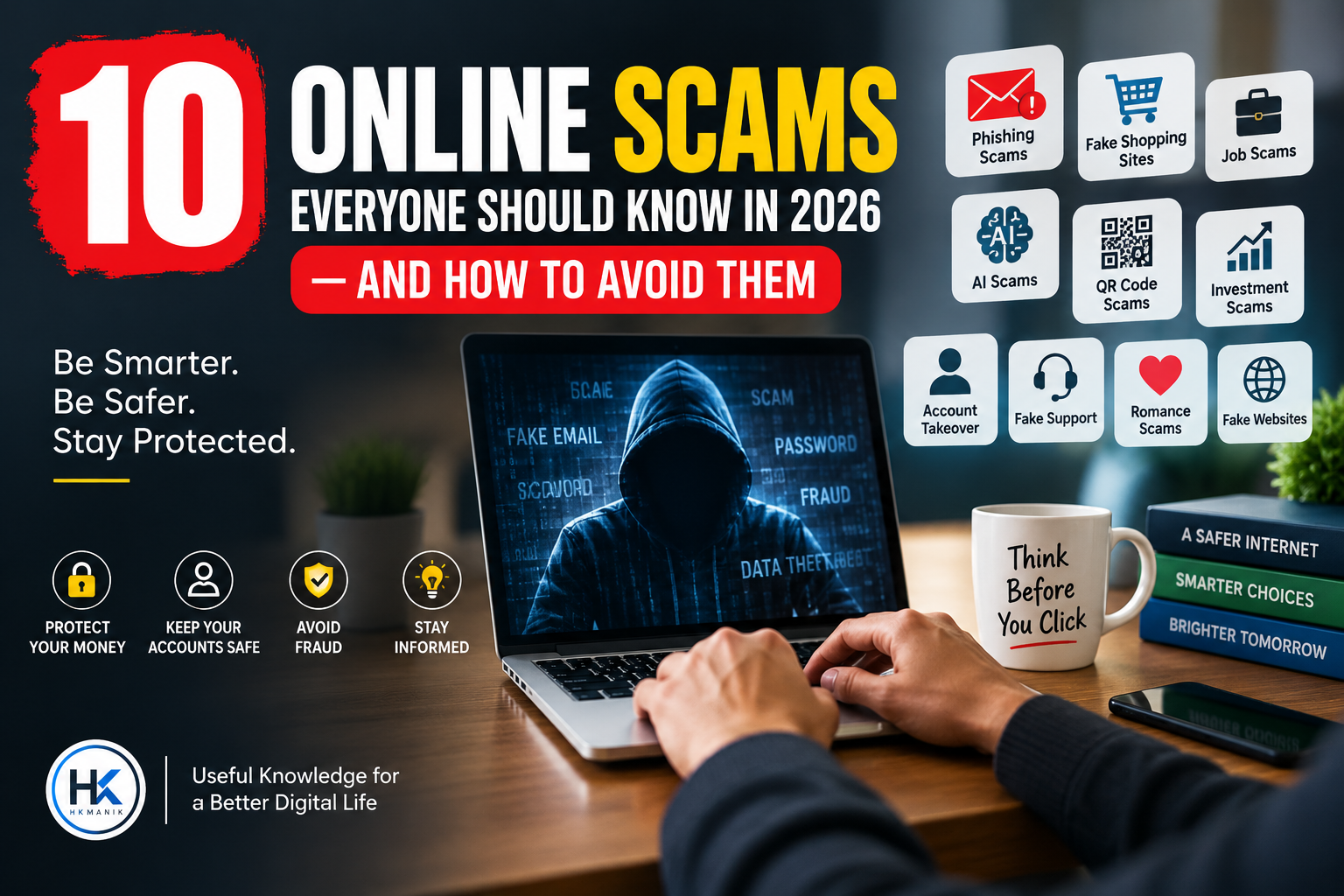
10 Online Scams Everyone Should Know in 2026 — And How to Avoid Them
The internet has made everyday life easier than ever. We can shop, work, study, communicate, manage money, book services, and even use artificial intelligence from almost anywhere.
But there is another side to this convenience: online scams are becoming more convincing, more personalized, and harder to recognize.
Scammers no longer rely only on poorly written emails or obviously fake websites. They can imitate companies, create convincing websites, use social media profiles, send realistic messages, and even use AI-generated voices and images to appear trustworthy.
The good news is that most online scams still depend on one thing: getting you to act before you have time to think.
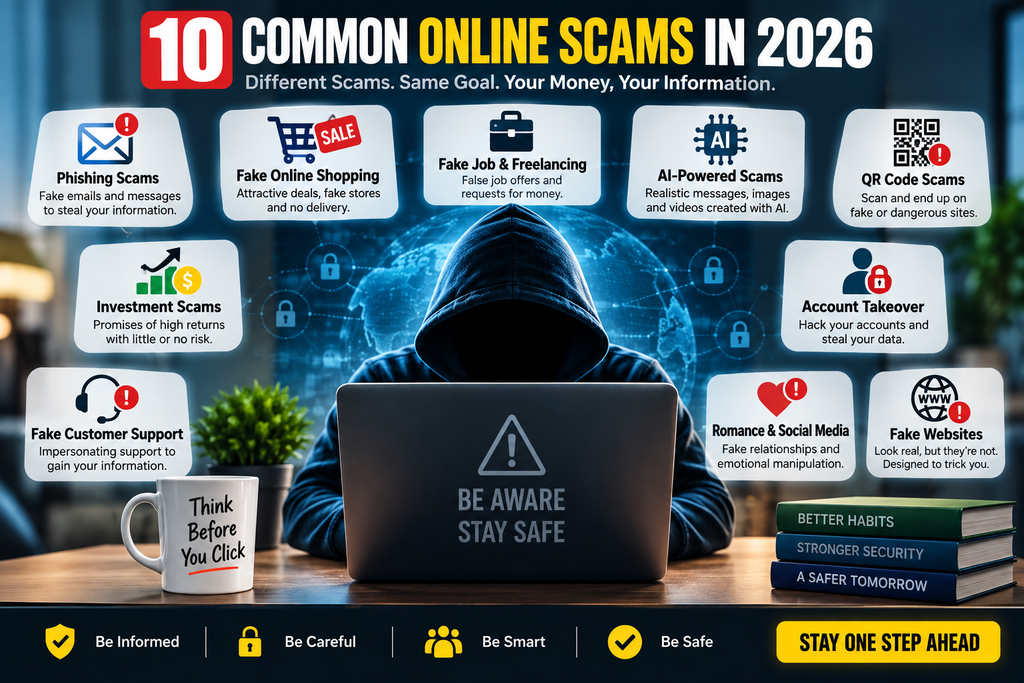
In this guide, we’ll look at 10 common online scams everyone should know in 2026, how they work, the warning signs to watch for, and what you can do to protect yourself.
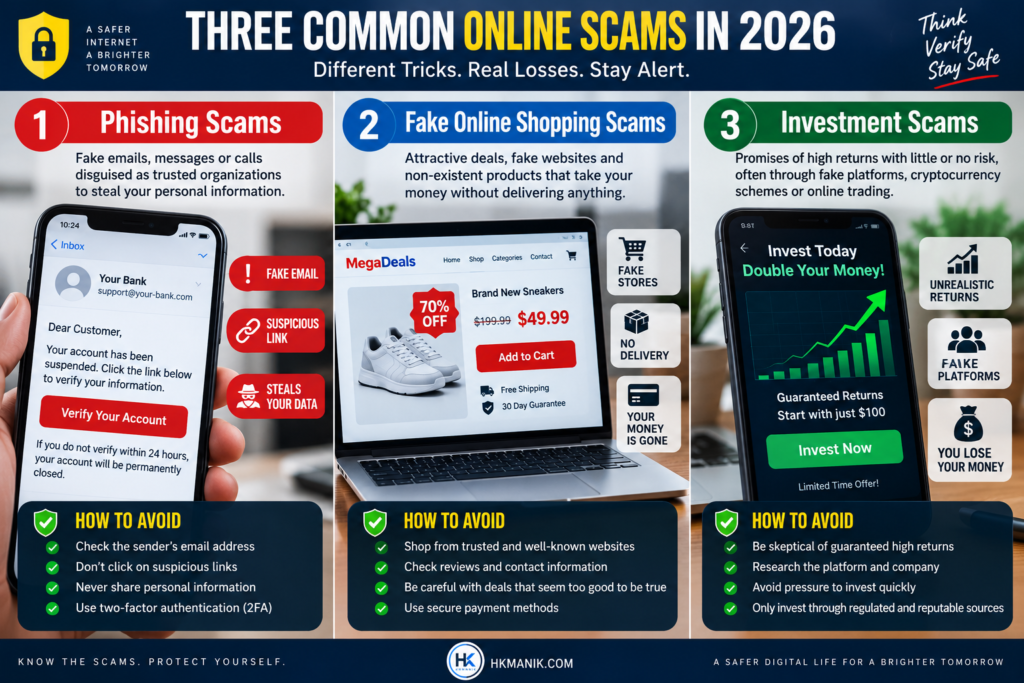
1. Phishing Scams
Phishing is one of the most common forms of online fraud.
A scammer sends you an email, text message, social media message, or other communication pretending to be a legitimate company or organization. The message may appear to come from a bank, payment service, social media platform, delivery company, government agency, or even someone you know.
The message usually asks you to click a link, verify your account, reset a password, or provide sensitive information.
For example, you might receive a message saying:
“Your account will be suspended today. Click here to verify your information.”
The link may take you to a website that looks almost identical to the real one.
Warning signs of a phishing scam
Look out for:
- Unexpected messages asking you to click a link
- Urgent threats or deadlines
- Requests for passwords or verification codes
- Suspicious website addresses
- Spelling or formatting mistakes
- Messages asking for financial information
- How to protect yourself
Don’t click links in unexpected messages. Instead, open the company’s official website or app yourself and check whether there is actually a problem.
Never provide your password, PIN, or one-time verification code because someone contacted you unexpectedly.
FTC’s guide to phishing scams.
2. Fake Online Shopping Scams
Online shopping scams are especially dangerous because fake stores can look remarkably professional.
A scam website may copy the design, product photographs, logos, and descriptions of legitimate stores. It may advertise expensive products at unusually low prices to encourage quick purchases.
You place an order, pay the money, and then discover that the product never arrives—or that the website has disappeared.
In some cases, the scammer may also collect your card or personal information during checkout.
Warning signs
Be careful when you see:
- Prices that seem too good to be true
- A newly created or suspicious website
- No clear contact information
- Poor return or refund policies
- Pressure to pay immediately
- Only unusual payment methods
- Fake-looking reviews
How to protect yourself
Before buying from an unfamiliar website, search for independent reviews and check the company’s contact details and return policy.
Don’t assume that a professional-looking website is automatically legitimate.
FTC’s online shopping scam advice.
3. Fake Job and Freelancing Scams
Job seekers and freelancers are increasingly targeted by online scammers.
A scammer may advertise a remote job, freelance project, work-from-home opportunity, or unusually high-paying position. After contacting you, they may ask you to pay a registration fee, purchase equipment from a specific seller, provide sensitive documents, or transfer money.
Another common tactic is to offer a job that requires you to receive and forward money.
Warning signs
Be suspicious if:
- The salary is unrealistically high for the work
- You are guaranteed a job without an interview
- You are asked to pay to get hired
- The employer uses a personal email address without explanation
- You are asked for financial information too early
- You are asked to receive or transfer money
- The recruiter pressures you to act immediately
How to protect yourself
Research the company independently. Visit its official website and verify that the job actually exists.
A legitimate employer generally does not require you to pay money simply to receive a job.
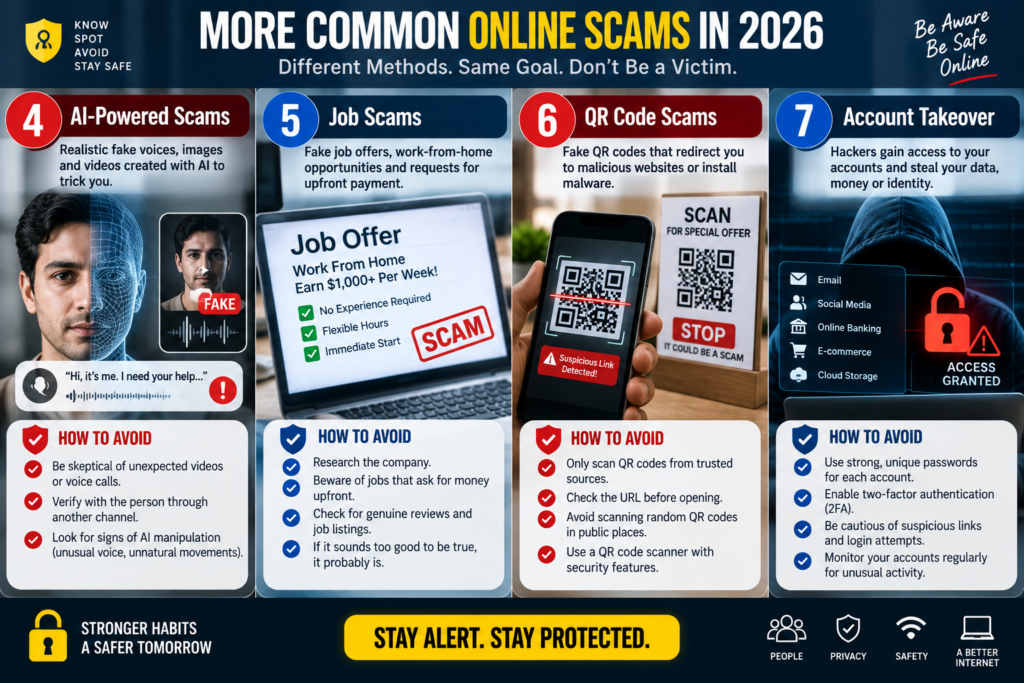
4. AI-Powered Scams
Artificial intelligence is making some scams much more convincing.
Scammers can use AI to create better-written messages, fake photographs, realistic social media profiles, and increasingly convincing audio or video impersonations.
Imagine receiving a voice message that sounds like a family member asking for urgent financial help. Or receiving a video that appears to show a company executive giving instructions.
Seeing or hearing someone is no longer always enough to prove that the communication is genuine.
How to protect yourself from AI scams
If someone makes an unusual or urgent request:
- Stop before sending money or information.
- Contact the person through another trusted method.
- Ask a question only the real person would know.
- Don’t rely solely on a voice recording, photograph, or video.
- Verify important requests independently.
When money or sensitive information is involved, always verify through a second channel.
5. QR Code Scams
QR codes are now everywhere—from restaurants and advertisements to payment systems and websites.
Unfortunately, scammers can also use them to direct people to malicious or fraudulent websites.
A QR code may appear to be for a payment, delivery tracking page, account verification, discount, or promotional offer. After scanning it, you may be taken to a fake website designed to steal your information.
Warning signs
Be cautious when:
- A QR code appears unexpectedly
- Someone sends you a QR code and asks you to scan it urgently
- A QR code is placed over another code
- The destination website looks unfamiliar
- The page asks for sensitive information
How to protect yourself
Before entering information after scanning a QR code, check the website address carefully.
If you’re making a payment, confirm who you’re paying and how much you’re paying before completing the transaction.
Google’s scam prevention guide.
6. Investment and Cryptocurrency Scams
Investment scams often promise extraordinary returns with little or no risk.
You may encounter advertisements or social media posts claiming that someone became wealthy through cryptocurrency, trading, artificial intelligence, foreign exchange, or another investment opportunity.
The scammer may initially allow you to see supposed profits on a fake investment dashboard. Eventually, they ask you to deposit more money or pay a fee to withdraw your “profits.”
Warning signs
Be especially careful with promises such as:
- “Guaranteed returns”
- “No risk”
- “Double your money quickly”
- “Secret investment opportunity”
- “Limited spots available”
- “Our AI guarantees profits”
How to protect yourself
Never make an investment simply because someone contacted you online.
Research the company, understand how the investment works, and verify that the relevant financial service provider is properly regulated where applicable.
If someone promises high returns with zero risk, treat it as a major warning sign.
7. Account Takeover Scams
An account takeover happens when a scammer gains access to one of your online accounts.
This could include your email, social media, shopping account, or financial account.
Scammers may use stolen passwords, phishing websites, malicious software, or social engineering to gain access.
Once inside, they may change your password, contact your friends, steal information, or use your account to conduct further scams.
Warning signs
You should investigate immediately if:
- You receive a password-reset notification you didn’t request
- Your password suddenly stops working
- You notice unfamiliar login activity
- Your account sends messages you didn’t write
- Your email or phone number has been changed
How to protect yourself
Use a different strong password for every important account.
Enable multi-factor authentication whenever possible and keep your recovery email and phone number up to date.
Your email account deserves particular protection because it can often be used to reset passwords for other services.
8. Fake Customer Support Scams
Sometimes scammers don’t contact you first.
Instead, they wait for people to publicly ask for help on social media or online forums.
For example, someone might post:
“I can’t access my account. Can someone help?”
A scammer may respond while pretending to be customer support.
They may then ask for your password, verification code, payment information, or remote access to your computer.
How to recognize fake support
Be suspicious when someone:
- Contacts you unexpectedly claiming to be support
- Asks for your password
- Requests a verification code
- Wants remote access to your device
- Tells you to install unfamiliar software
- Requests payment to unlock an account
H3: The safest approach
If you need customer support, find the official company’s support page yourself.
Don’t assume that an account with a company logo or a professional-looking profile is genuine.
9. Romance and Social Media Scams
Social media has made it easier for people to connect—but it has also created opportunities for scammers to build fake relationships.
A scammer may create a fake profile and spend weeks or months gaining someone’s trust.
Eventually, they may claim to have an emergency, need money for travel, have a medical problem, or require financial assistance.
The emotional connection is used to make the victim ignore normal warning signs.
Warning signs
Be careful if an online relationship:
- Develops unusually quickly
- Avoids video calls repeatedly
- Has inconsistent personal details
- Frequently involves emergencies
- Eventually involves requests for money
- Asks you to keep the relationship secret
H3: How to protect yourself
Don’t send money to someone you have never independently verified, even if you feel that you know them well.
Scammers can spend significant amounts of time building trust before asking for money.
10. Fake Websites and Search Result Scams
Not every website appearing in a search result is necessarily the official website you’re looking for.
Scammers can create websites designed to imitate banks, government services, technology companies, online stores, software providers, and other organizations.
They may also use online advertising or search-engine optimization techniques to make fraudulent pages easier to discover.
For example, you might search for a software download and accidentally visit a fake website offering a modified or malicious version.
How to stay safe
Before entering passwords, payment information, or personal details:
- Check the website address carefully
- Look for unusual spelling in the domain
- Don’t assume the first search result is automatically safe
- Use official apps or websites for important services
- Download software from trusted sources
- Be especially careful with advertisements promising unusual deals
A website using HTTPS is useful for encrypted communication, but HTTPS alone does not prove that a website is legitimate.
What to Do If You Think You’ve Been Scammed
Don’t panic and don’t feel embarrassed.
Scams are designed to manipulate people, and anyone can become a target.
If you believe you’ve provided information or money to a scammer, act quickly.
1. Stop communicating with the scammer
Don’t continue negotiating or sending additional payments.
2. Change compromised passwords
If you provided a password, change it immediately. If you used the same password elsewhere, change it there too.
3. Secure your financial accounts
Contact your bank, card provider, mobile financial service, or relevant payment provider if financial information may have been compromised.
4. Enable multi-factor authentication
Add an additional layer of security to important accounts.
5. Keep evidence
Save messages, emails, screenshots, transaction records, website addresses, and other relevant information.
6. Report the scam
Report the incident to the relevant platform, financial institution, service provider, and appropriate authorities in your country.
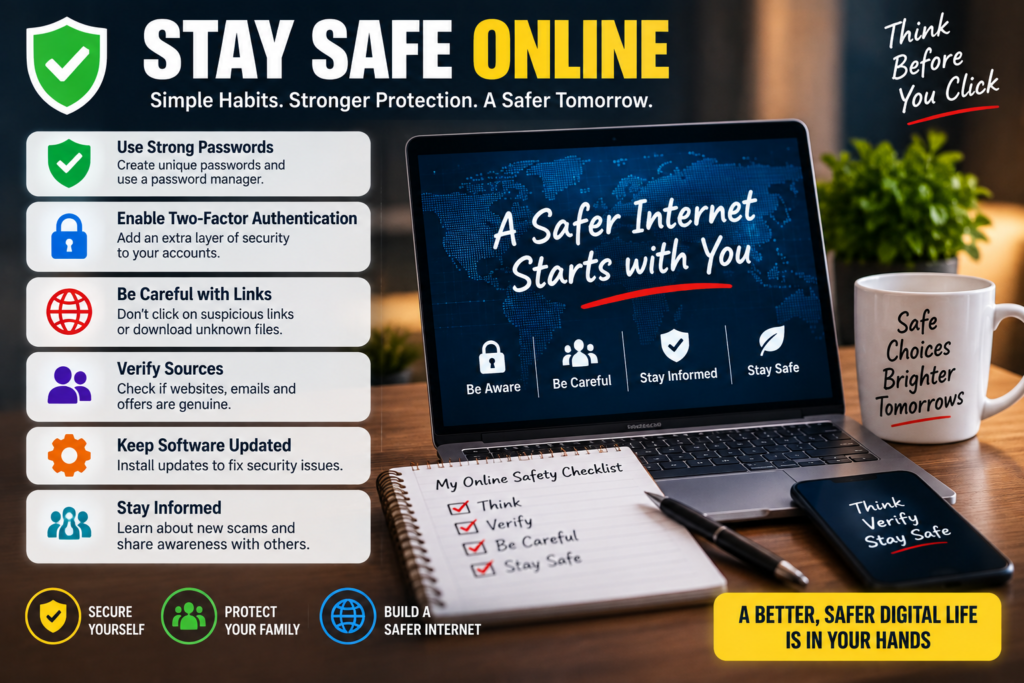
10 Simple Rules for Staying Safe Online
You don’t need to become a cybersecurity expert to reduce your risk.
Remember these ten rules:
- Think before you click.
- Never share passwords or verification codes.
- Be suspicious of urgent requests.
- Don’t trust unbelievable offers.
- Verify unexpected requests independently.
- Use strong, unique passwords.
- Enable multi-factor authentication.
- Keep your devices and software updated.
- Check website addresses before entering sensitive information.
- If something feels wrong, stop and investigate.
Frequently Asked Questions (FAQ)
What is the most common online scam?
Phishing is one of the most widespread types of online scams. It uses fake messages or websites to trick people into revealing passwords, financial information, verification codes, or other sensitive data.
Can AI make online scams more dangerous?
Yes. AI can help scammers create more convincing messages, fake profiles, images, audio, and other content. This makes it increasingly important to verify unusual requests independently rather than trusting a message simply because it looks or sounds authentic.
How can I tell if a website is fake?
Check the domain name carefully, look for unusual spelling, investigate the company independently, and avoid entering sensitive information if something seems suspicious. Don’t assume that a professional design or HTTPS connection guarantees that a website is legitimate.
Can scammers steal my account without knowing my password?
Yes. Depending on the attack, scammers may use stolen session information, social engineering, malware, password-reset processes, or other techniques. Using multi-factor authentication and maintaining good account security can reduce your risk.
What should I do if I accidentally clicked a scam link?
Don’t panic. Close the page, avoid entering additional information, and consider changing your password if you entered credentials. If you downloaded something or provided financial information, take additional steps to secure your device and contact the relevant service provider.
Are online scams only a problem for older people?
No. Anyone can become a victim. Scammers target people based on circumstances and opportunities, including job seekers, students, freelancers, online shoppers, investors, and social media users.
Final Thoughts
The internet isn’t inherently dangerous—but using it without paying attention can be.
The biggest advantage scammers have is often not sophisticated technology. It is the ability to create urgency, fear, excitement, or trust and convince someone to act before thinking.
That’s why one simple habit can make a huge difference:
Pause before you click, pay, download, or share information.
When a message demands immediate action, take a step back and verify it through an independent source. A few extra seconds can sometimes prevent hours, months, or even years of problems.
In 2026, staying safe online isn’t about avoiding the internet. It’s about learning how to recognize the warning signs and making smarter decisions when something doesn’t look right.
25 Useful Websites Everyone Should Bookmark in 2026.
Is WordPress Still Worth Learning in 2026? A Practical Guide for Beginners.