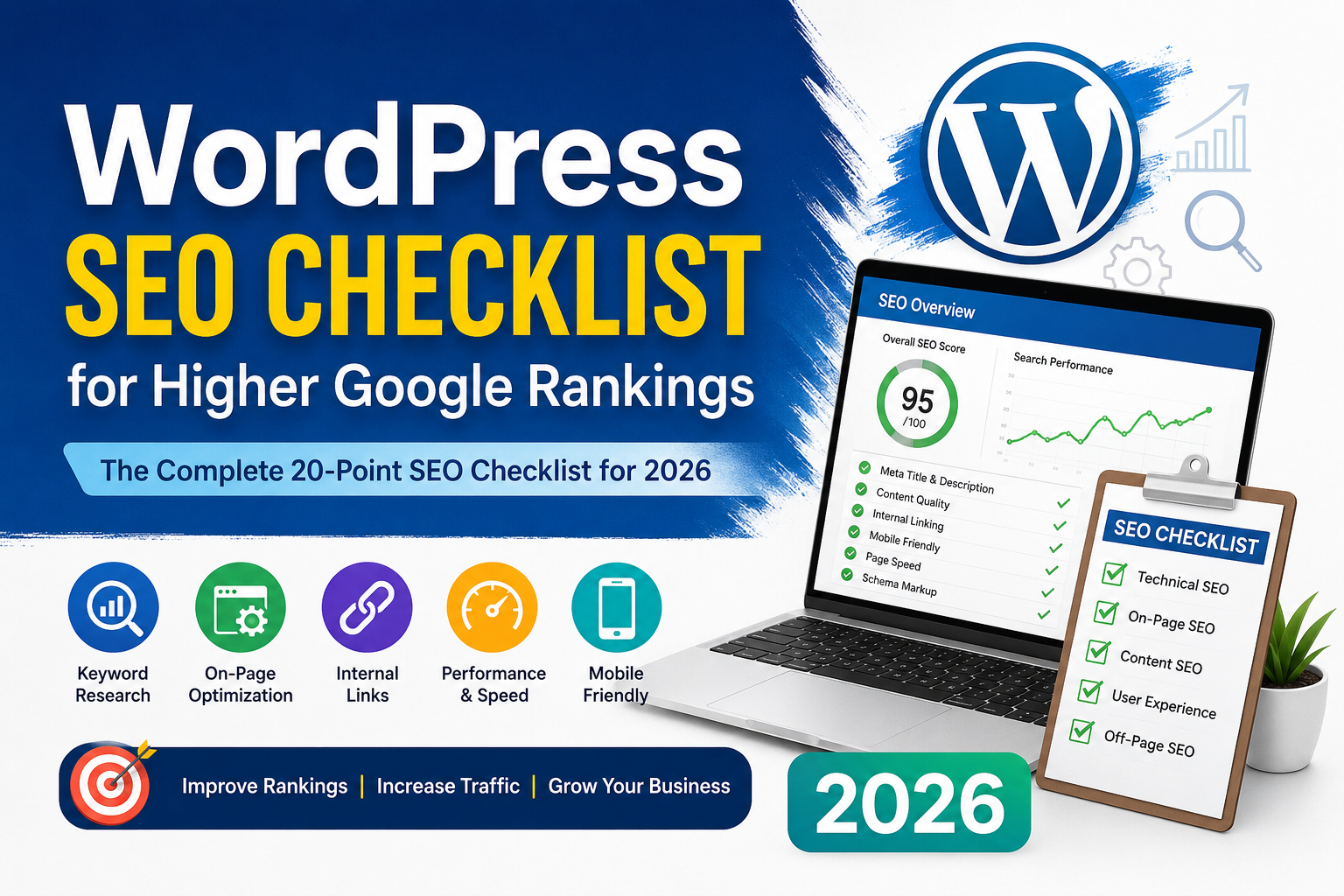
WordPress SEO Checklist for Higher Google Rankings (2026)
Introduction
Building a WordPress website is only the first step. If your pages don’t appear in Google search results, your content may never reach the audience it deserves. Search Engine Optimization (SEO) helps search engines understand your website and makes it easier for people to discover your content.
The good news is that you don’t need to be an SEO expert to improve your rankings. By following a proven checklist, you can make your website more search-engine friendly while also creating a better experience for your visitors.
In this guide, you’ll learn a practical WordPress SEO checklist for 2026. Whether you’re running a business website, personal blog, online store, or portfolio, these tips will help you build a strong SEO foundation.
Why SEO Matters for WordPress Websites
WordPress is one of the most SEO-friendly content management systems available. However, installing WordPress alone won’t guarantee good rankings.
Proper SEO helps you:
- Increase organic traffic
- Improve search engine visibility
- Build trust and credibility
- Generate more leads and sales
- Create a better user experience
Google rewards websites that provide helpful, well-organized, and trustworthy content. SEO is about making your site easier for both users and search engines to understand.
Complete WordPress SEO Checklist
1. Choose a Reliable Hosting Provider
Website speed starts with your hosting company.
A fast and reliable hosting provider improves:
- Page loading speed
- Website uptime
- Security
- Overall user experience
Slow websites often experience higher bounce rates and lower search rankings.
2. Install an SEO Plugin
An SEO plugin simplifies many optimization tasks.
Popular choices include:
- Rank Math SEO
- Yoast SEO
- All in One SEO
These plugins help manage:
- Meta titles
- Meta descriptions
- XML sitemaps
- Schema markup
- WordPress SEO Checklist
- Social sharing settings
- Redirects
Choose one plugin and configure it correctly rather than installing multiple SEO plugins.
3. Use HTTPS
Google considers HTTPS a ranking signal.
Make sure your website:
- Uses SSL
- Loads securely
- Redirects HTTP traffic to HTTPS
- WordPress SEO Checklist
Visitors also feel more confident browsing secure websites.
4. Optimize Your Permalinks
Use clean, readable URLs.
Good example:
example.com/wordpress-seo-checklistAvoid URLs like:
example.com/?p=123Simple URLs are easier for both users and search engines to understand.
5. Perform Keyword Research
Before writing any article, identify a primary keyword.
Useful keyword research tools include:
- Google Keyword Planner
- Google Search
- Google Trends
- Ubersuggest
Choose keywords that match what your audience is actually searching for.
6. Write Helpful, Original Content
High-quality content remains the most important ranking factor.
Focus on:
- Solving real problems
- Answering common questions
- Using clear language
- Providing accurate information
- WordPress SEO Checklist
- Updating outdated content
Avoid copying or lightly rewriting content from other websites.
7. Optimize Your Titles
Every page should have:
- A clear title
- The primary keyword
- Natural wording
Instead of stuffing keywords, write titles that encourage people to click.
Example:
WordPress SEO Checklist for Higher Google Rankings (2026)
8. Write Compelling Meta Descriptions
Although meta descriptions don’t directly improve rankings, they influence click-through rates.
A good meta description should:
- Summarize the page
- Include the main keyword
- Encourage users to visit
Aim for approximately 150–160 characters.
9. Use Proper Heading Structure
Organize your content using headings.
Example:
- H1 – Article Title
- H2 – Main Sections
- H3 – Subsections
Good heading structure improves readability and helps search engines understand your content.
10. Optimize Images
Large images slow down websites.
Before uploading images:
- Compress them
- Resize appropriately
- Use descriptive filenames
- Add meaningful ALT text
Optimized images improve both page speed and image search visibility.
11. Improve Internal Linking
Internal links help visitors discover more content while helping search engines understand your website structure.
For example, if you publish an article about WordPress SEO, you can naturally link to related articles covering:
- WordPress plugins
- Website speed optimization
- WordPress SEO Checklist
- Google Search Console
- Elementor
- Rank Math SEO
A strong internal linking strategy improves user engagement and helps distribute authority across your website.
12. Add External Links to Trusted Sources
Linking to reputable websites can improve the usefulness of your content.
Examples include:
- Google Search Central
- WordPress.org
- Mozilla Developer Network
Only link when it genuinely benefits readers.
13. Improve Website Speed
Website speed is an important ranking factor because visitors expect pages to load quickly. A slow website often leads to higher bounce rates and a poor user experience.
You can improve WordPress performance by:
- Using a lightweight theme
- Compressing images before uploading
- Enabling browser caching
- WordPress SEO Checklist
- Using a reliable caching plugin
- Removing unnecessary plugins
- Choosing a quality hosting provider
Regularly test your website using tools like Google PageSpeed Insights or GTmetrix to identify performance issues.
14. Create an XML Sitemap
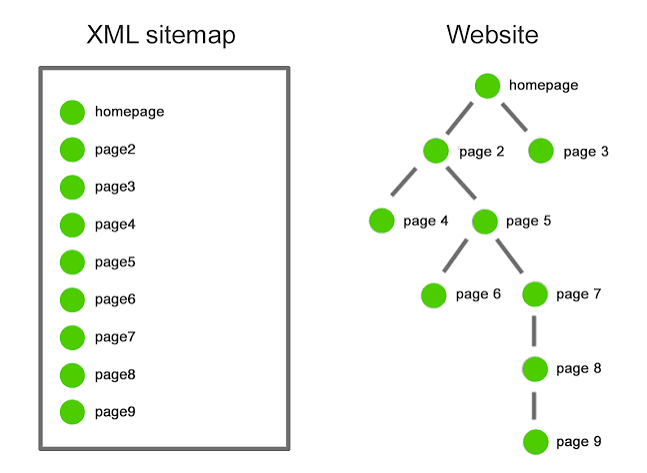
An XML sitemap helps search engines discover your website’s pages more efficiently.
Most SEO plugins automatically generate XML sitemaps. After creating your sitemap, submit it to Google Search Console to help Google crawl your website more effectively.
15. Connect Google Search Console
Google Search Console is one of the most valuable free SEO tools available.
It helps you:
- Monitor indexed pages
- Find crawl errors
- Track keyword performance
- Submit URLs for indexing
- WordPress SEO Checklist
- Improve overall website health
Checking Search Console regularly allows you to identify and fix SEO issues before they become bigger problems.
16. Fix Broken Links
Broken links create a poor user experience and make websites appear neglected.
Regularly review your website for:
- Broken internal links
- Broken external links
- Missing images
- Deleted pages
Repairing broken links improves both usability and website quality.
17. Optimize for Mobile Devices
Most visitors now browse websites using smartphones and tablets.
A mobile-friendly website should:
- Load quickly
- Display properly on all screen sizes
- Have readable text
- Use clickable buttons
- Avoid horizontal scrolling
- WordPress SEO Checklist
Google primarily uses mobile-first indexing, making responsive design essential.
18. Add Schema Markup
Schema markup helps search engines understand your content better.
Depending on your content, you can use:
- Article Schema
- FAQ Schema
- Organization Schema
- Breadcrumb Schema
Many SEO plugins, including Rank Math, can automatically generate schema markup.
19. Keep WordPress Updated
Always keep your:
- WordPress Core
- Themes
- Plugins
updated to the latest stable versions.
Regular updates improve WordPress SEO Checklist, security, compatibility, and website performance.
20. Monitor SEO Performance Regularly
SEO is not a one-time task.
Review your website regularly by checking:
- Search rankings
- Organic traffic
- Click-through rates
- Indexed pages
- Core Web Vitals
- Broken links
- Content updates
Small improvements made consistently often produce better long-term results than major one-time changes.
Common WordPress SEO Mistakes to Avoid
Many website owners unknowingly make mistakes that limit their search visibility.
Some of the most common mistakes include:
- Publishing duplicate content
- Ignoring keyword research
- Using poor-quality images
- Writing weak meta descriptions
- WordPress SEO Checklist
- Forgetting image ALT text
- Having broken internal links
- Installing too many plugins
- Neglecting mobile optimization
- Never updating old articles
- Ignoring Google Search Console
Avoiding these mistakes can significantly improve your website’s long-term SEO performance.
Final Thoughts
Improving WordPress SEO doesn’t happen overnight, but consistent effort produces lasting results.
Rather than trying to optimize everything at once, focus on making steady improvements every time you publish a new article. A well-structured website, helpful content, optimized images, internal links, and a positive user experience all contribute to better search visibility.
Remember that SEO is ultimately about helping people find useful information. When your website genuinely answers users’ questions and provides value, search engines are more likely to reward it with better rankings.
By following this WordPress SEO checklist, you’ll build a stronger foundation for long-term organic growth and create a website that both visitors and search engines appreciate.
frequently asked question (FAQ)
What is WordPress SEO?
WordPress SEO is the process of optimizing a WordPress website to improve its visibility in search engine results and attract more organic traffic.
Which SEO plugin is best for WordPress?
Popular options include Rank Math, Yoast SEO, and All in One SEO. The best choice depends on your needs and preferred workflow.
Does WordPress automatically optimize SEO?
WordPress provides an SEO-friendly foundation, but additional optimization is needed for titles, content, images, internal links, and technical settings.
How often should I update my website for SEO?
Regular updates are recommended. Publishing fresh content and reviewing older articles can help keep your website relevant.
Why are internal links important?
Internal links help visitors discover related content and assist search engines in understanding your website structure.
Do images affect SEO?
Yes. Optimized images with descriptive filenames and ALT text can improve page speed, accessibility, and image search visibility.
Is website speed important for SEO?
Yes. Faster websites generally provide a better user experience, which can positively influence search performance.
8. Should every page have a meta description?
Yes. A clear, relevant meta description can improve click-through rates from search results.
What is schema markup?
Schema markup is structured data that helps search engines better understand your content and may enhance search result displays.
Is SEO a one-time task?
No. SEO requires ongoing monitoring, content updates, and continuous improvement to maintain and grow search visibility.
If you’re looking for professional website development, explore my Professional WordPress Developer in Bangladesh services.
Publishing SEO-friendly blog content consistently is one of the best ways to improve long-term search visibility.
A good internal linking strategy helps visitors discover related articles while improving your website’s SEO.
Visit WordPress.org to learn more about the world’s most popular content management system.
Google’s SEO Starter Guide explains the best practices for improving search visibility.